Re-assigning control/AV connections
Use the Connections view to reassign connections.
To re-assign Control/AV connections:
- Start Composer Pro and connect to a Director.
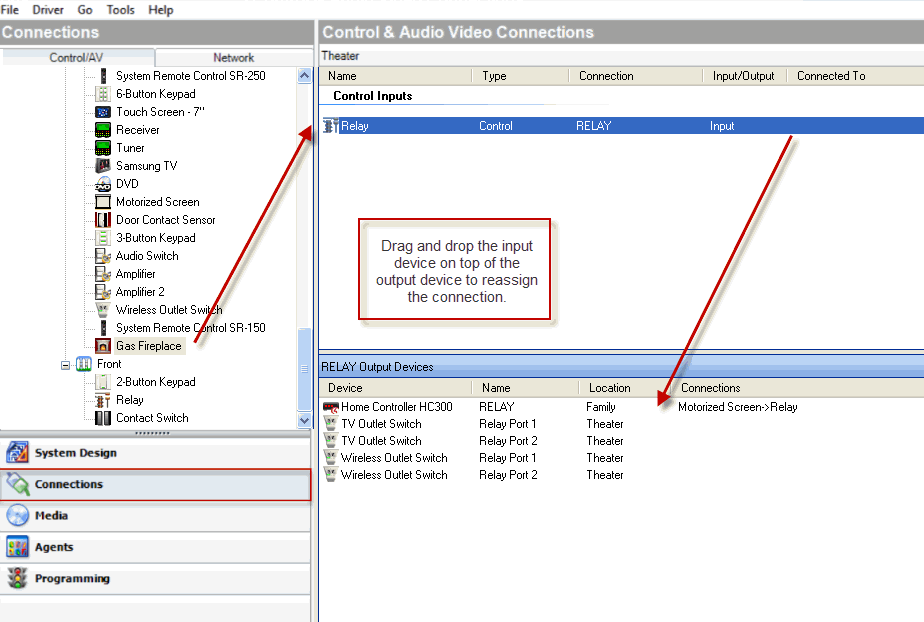
- Click Connections > Control/AV tab.
- In the project tree, select a device. The device’s control and AV connections appear.
- In the Control and AV Connections pane, drag an input from the top pane to a different output on the bottom pane. The connection is moved to the specified output.