Adding a DVD or CD
To add a DVD or CD:
- Click Media.
- Select Disc Changer in the Media pane.
- Select the empty box for the New DVD and New CD buttons to appear.
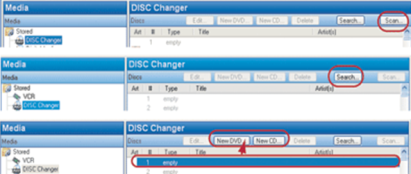
- Click either New DVD or New CD as appropriate. The New Movie or New Album dialog appears.
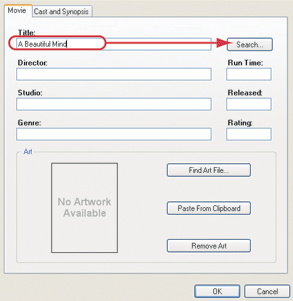
- In the Title box, enter the DVD you want to play.
Example: "A Beautiful Mind"
- Click Search.
- When the Search dialog appears, use the scrollbar to find the appropriate cover art, and select it.
- Change the search criteria, and search again if needed. The possible matches from the web database appear in the Search Results window.
- Click Next.
- (Optional) Customize the DVD/CD information before adding it to the media database by editing the text in the box.
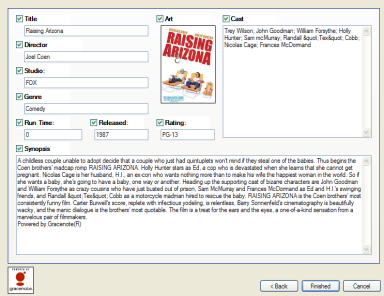
- Click Finished.
- Click OK.
